
Best Workstation Motherboards 2026: 12 Picks Compared on Specs
The Supermicro X10DRH-CT-O is our top pick for a workstation motherboard: its E-ATX layout, LGA2011 socket, and DDR4 support give it the flexibility to handle demanding builds. We chose 12 boards from a pool of 34 workstation listings, comparing only the specifications the seller states, including socket, memory type, and form factor. Prices are live and read from the store listing, and no unit was tested by us.
12 picks from 9 motherboards that match this guide with a price we can quote today. The prices below are current and each carries its read time.
Quick picks
The best fit for you
- For a compact workstation: If you want a small workstation or NAS that fits in a mini-ITX case, the Staclik C612 Mini-ITX board offers LGA2011-3 and DDR4 in a tiny footprint. See pick 3
- For a dual-socket render node: When you need maximum CPU cores for rendering or virtualization, the MACHINIST X99-D8-MAX provides an E-ATX board with LGA2011-3 and DDR4 support. See pick 5
- For a standard mid-tower build: If you prefer a conventional ATX case, the Supermicro X10DRL-I gives you a server-oriented ATX board with LGA2011 and no silliness. See pick 2
- For a budget micro-ATX build: The Tangxi X99 mATX board is a practical starting point if you already own an LGA2011-3 CPU and want a small, simple motherboard. See pick 4
Our 12 picks
1 Best overall

Supermicro EATX Extended ATX DDR4 LGA 2011 Motherboard X10DRH-CT-O
- Socket
- LGA2011
- Form factor
- E-ATX
- Memory type
- DDR4
This Supermicro board combines an E-ATX form factor, LGA2011 socket, and DDR4 support, which are the three core features we look for in a workstation base. It is the most complete package among the E-ATX boards in this list, and the LGA2011 socket gives access to the Xeon E5-2600 v3 and v4 families.
Pros
- E-ATX form factor for large cases and many expansion cards
- DDR4 memory support for modern Xeon E5 processors
- LGA2011 socket covers a wide range of server CPUs
- Supermicro is a recognized server and workstation board maker
Cons
- Seller does not state memory capacity or PCIe slot count
- E-ATX will not fit standard ATX cases
- Older LGA2011 platform lacks the PCIe 5.0 or DDR5 of newer boards
Good fit if
- Builders with a full-tower case who need room for many drives and cards
- Users planning a dual-socket Xeon E5 system
Skip if
- You need a compact board for a mini-ITX or micro-ATX case
- You want the latest PCIe or USB4 standards
Verdict: The Supermicro X10DRH-CT-O is the most balanced workstation board in this guide for those who need E-ATX, LGA2011, and DDR4.
2 Best ATX

SUPERMICRO MBD-X10DRL-I ATX Server Motherboard Dual LGA 2011 R3 Intel
- Socket
- LGA2011
- Form factor
- ATX
If you need a standard ATX board for a mid-tower workstation, this Supermicro model fits the bill. It has a LGA2011 socket and the ATX footprint that pairs with conventional cases, while keeping the reliability of a server-orientated board.
Pros
- Standard ATX form factor fits most mid-tower cases
- LGA2011 socket supports Xeon E5-2600 v3 and v4 processors
- Supermicro server heritage is strong for 24/7 workloads
- No need for a huge full-tower case
Cons
- Seller does not state memory type or speed
- No stated form for dual-socket support; this is a single-socket board
- No stated M.2 or PCIe 5.0 support
Good fit if
- Builders who want a server board in a regular ATX case
- Users with an LGA2011 Xeon E5 CPU already in hand
Skip if
- You need two CPU sockets for high core counts
- You want a compact mATX or ITX build
Verdict: This Supermicro ATX board is a dependable choice for a single-socket workstation in a standard case.
3 Best mini-ITX

C612 Mini-ITX NAS Motherboard for E5 v3/v4
- Socket
- LGA2011-3
- Form factor
- ITX
- Memory type
- DDR4
$193.99 price as of 2026-10-07 05:38 UTC (Details)
For a compact workstation or NAS, this Staclik board uses the LGA2011-3 socket with DDR4 support in a mini-ITX size. It is one of only two ITX boards in this guide, and the only one that pairs LGA2011-3 with DDR4 in a tiny footprint.
Pros
- Mini-ITX form factor for small cases and wall mounts
- LGA2011-3 socket supports E5 v3 and v4 CPUs
- DDR4 memory support is modern for the platform
- Two M.2 NVMe slots are listed in the product name
Cons
- Seller does not state memory capacity or PCIe lane layout
- ITX boards have fewer expansion slots than E-ATX or ATX
- No stated 10GbE networking; the name mentions dual 10GbE but that is not in the specs
Good fit if
- Users building a small, low-power workstation or NAS
- Those with an ITX case who need LGA2011-3 support
Skip if
- You need many PCIe slots for GPUs or capture cards
- You prefer a standard ATX or E-ATX board
Verdict: This Staclik ITX board is the best compact option for a workstation that does not need to fill a large case.
4 Best micro-ATX

The Tangxi X99 is the most complete micro-ATX board in this list, with LGA2011-3, DDR4, and a M.2 slot stated in the name. It fits in smaller cases while still supporting the Xeon E5 v3 and v4 CPUs that define this workstation generation.
Pros
- Micro-ATX size fits compact cases while retaining some expansion
- LGA2011-3 socket for Xeon E5 v3 and v4
- DDR4 memory support up to 128GB is stated in the name
- M.2 slot is listed in the product description
Cons
- Seller does not specify PCIe slot count or network speed
- Micro-ATX has fewer slots than full ATX or E-ATX
- 128GB capacity is lower than some dual-socket boards
Good fit if
- Builders who want a small workstation with a single Xeon E5 v3 or v4
- Users with a micro-ATX case on a budget
Skip if
- You need dual-socket support or lots of PCIe lanes
- You require more than 128GB of RAM
Verdict: The Tangxi X99 is a practical micro-ATX workstation board for LGA2011-3 CPUs with DDR4 support.
5 Best dual-socket

MACHINIST Dual CPU Motherboard X99-D8-MAX Intel LGA 2011-3
- Socket
- LGA2011-3
- Form factor
- E-ATX
- Memory type
- DDR4
$189.99 price as of 2026-10-07 06:18 UTC (Details)
This MACHINIST board is the clearest dual-socket option in the guide, with an E-ATX form factor, LGA2011-3, and DDR4 support. It is the board to choose when you need two Xeon E5 v3 or v4 processors for heavy multithreaded work.
Pros
- E-ATX form factor with two LGA2011-3 sockets
- DDR4 support for each CPU's memory channels
- LGA2011-3 is newer than the original LGA2011 platform
- 256GB memory support is stated in a similar MACHINIST model
Cons
- Seller does not state exact memory capacity or PCIe layout
- E-ATX requires a large case
- Two CPUs require a bigger power supply and better cooling
Good fit if
- Workstations that run heavy rendering, virtualization, or simulation
- Users who need many cores without moving to a server platform
Skip if
- You only need one CPU for a simple workstation
- You have a mid-tower case that does not fit E-ATX
Verdict: The MACHINIST X99-D8-MAX is the best dual-socket board here for LGA2011-3 CPUs.
6 Best E-ATX

The Wisoqu MS S1561 is an E-ATX board with LGA2011-3 and DDR4, making it a strong match for a roomy workstation case. It includes IPMI 2.0 in the name, which points to remote management capabilities commonly needed in lab and server environments.
Pros
- E-ATX form factor with generous board space
- LGA2011-3 socket for E5 v3 and v4 CPUs
- DDR4 memory support is stated
- IPMI 2.0 remote management is listed in the product name
Cons
- Seller does not state memory capacity or PCIe slot details
- E-ATX is too large for most consumer cases
- No stated M.2 or USB4 support
Good fit if
- Users who want a server board with remote management in a large case
- Builders with LGA2011-3 Xeon E5 CPUs and DDR4 RAM
Skip if
- You need a compact board
- You prefer a consumer-oriented motherboard with more onboard ports
Verdict: The Wisoqu MS S1561 is a solid E-ATX workstation board for LGA2011-3 systems that need remote management.
7 Best for LGA2011

For users on the original LGA2011 platform, this Supermicro board offers DDR4 support and the dual-socket readiness that the name suggests. It is a newer version of the X10DRI-T4+, so it brings four-port Ethernet and a proven server design.
Pros
- LGA2011 socket supports Xeon E5-2600 v3 and v4 processors
- DDR4 memory support is stated
- Supermicro server design is well suited to 24/7 operation
- Four-port Ethernet is listed in the product name
Cons
- Seller does not state form factor or memory capacity
- No stated M.2 or USB4 support
- Dual-socket operation requires two CPUs to be fully used
Good fit if
- Users with a dual-socket LGA2011 Xeon system
- Those who want a server board with multiple network ports
Skip if
- You need a single-socket board in a compact case
- You require a newer socket with PCIe 5.0 or DDR5
Verdict: This Supermicro X10DRI-T4+ is a strong LGA2011 board for dual-socket workstations with high networking needs.
8 Best for LGA2011-3
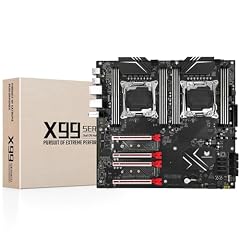
SHANGZHAOYUAN X99 Dual CPU Motherboard LGA 2011-3 Server Motherboard
- Socket
- LGA2011-3
- Form factor
- E-ATX
- Memory type
- DDR4
The SHANGZHAOYUAN X99 is an E-ATX dual-CPU board with LGA2011-3 and DDR4, making it a direct match for the Xeon E5 v3 and v4 series. It covers the essentials for a powerful workstation without requiring a move to a newer platform.
Pros
- E-ATX form factor with two LGA2011-3 sockets
- DDR4 support for modern server memory
- Compatible with Xeon E5 v3 and v4 CPUs
- The board is designed for dual-socket operation
Cons
- Seller does not state memory capacity or PCIe slot count
- E-ATX needs a large case
- Dual-socket boards require a matching CPU pair
Good fit if
- Builders who want a dual-CPU LGA2011-3 workstation
- Users already invested in DDR4 and E5 v3/v4 CPUs
Skip if
- You only need one CPU socket
- You want a board with more modern connectivity like USB4
Verdict: The SHANGZHAOYUAN X99 is a reliable dual-socket LGA2011-3 board for DDR4 workstations.
9 Best compact build
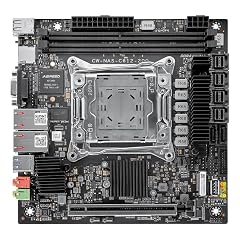
HKUXZR C612 NAS Motherboard LGA2011-3
- Socket
- LGA2011-3
- Form factor
- ITX
- Memory type
- DDR4
$179.99 price as of 2026-10-07 06:04 UTC (Details)
This HKUXZR board is the second mini-ITX option in the guide, with LGA2011-3 and DDR4 in a very small footprint. The name mentions 10GbE, two M.2 slots, and multiple SATA ports, which is ideal for a compact workstation or NAS.
Pros
- Mini-ITX form factor for small cases
- LGA2011-3 socket for E5 v3 and v4 CPUs
- DDR4 memory support is stated
- Dual 10GbE and M.2 slots are listed in the product name
Cons
- Seller does not state memory capacity or PCIe slot details
- ITX boards have limited expansion slots
- No stated ECC memory support
Good fit if
- Users building a compact NAS or workstation with 10GbE networking
- Those who need a small board with LGA2011-3 and DDR4
Skip if
- You need multiple PCIe slots for GPUs or HBAs
- You prefer a standard ATX or E-ATX board
Verdict: The HKUXZR C612 is the best compact board for a workstation that needs fast networking in a small case.
10 Best for LGA2011 dual-socket
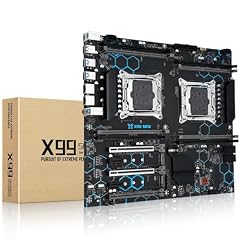
MACHINIST X99 Dual CPU Motherboard LGA 2011-V3
- Socket
- LGA2011
- Form factor
- E-ATX
- Memory type
- DDR4
This MACHINIST board is an E-ATX dual-socket model for the original LGA2011 socket, with DDR4 support. It is a practical way to build a two-CPU workstation on the older platform, and the 256GB memory capacity listed in the name is generous.
Pros
- E-ATX form factor with two LGA2011 sockets
- DDR4 memory support is stated
- 256GB maximum memory is listed in the product name
- Gigabit Ethernet is mentioned in the description
Cons
- LGA2011 is older than LGA2011-3
- Seller does not state PCIe slot count or memory channel layout
- E-ATX requires a large case
Good fit if
- Users with multiple LGA2011 Xeon E5 processors
- Serious multitasking or virtualization workloads
Skip if
- You want the newer LGA2011-3 socket
- You need a compact single-socket board
Verdict: This MACHINIST board is a solid dual-socket LGA2011 option with DDR4 support and a high memory ceiling.
11 Best for older LGA2011

The Vvikizy board brings the LGA2011 socket into a standard ATX form factor, making it a fit for mid-tower chassis. The name indicates support for eight DDR3 slots and a C602 chipset, which suits users with existing DDR3 memory from an older server build.
Pros
- ATX form factor fits standard cases
- LGA2011 socket for Xeon E5-2600 v1 and v2 CPUs
- Eight DDR3 slots are listed in the product name
- C602 chipset provides server-grade features
Cons
- DDR3 is older than the DDR4 used on most other picks
- Seller does not state memory speed or PCIe slot details
- Dual-socket design requires two CPUs
Good fit if
- Builders reusing old Xeon E5 and DDR3 memory
- Users who want a standard ATX server board without upgrading RAM
Skip if
- You want DDR4 support
- You need a compact board
Verdict: The Vvikizy board is the best pick if you are building on the older LGA2011 platform with DDR3 memory.
12 Best E-ATX DDR4

SHANGZHAOYUAN X99 MD8 Dual CPU Motherboard Intel LGA 2011-V3 DDR4 E-ATX
- Socket
- LGA2011
- Form factor
- E-ATX
- Memory type
- DDR4
This SHANGZHAOYUAN board is an E-ATX dual-socket LGA2011 model with DDR4, giving users a large board for a multi-CPU workstation. The product name specifies the MD8 model, and it covers the core requirements for a powerful server-style build.
Pros
- E-ATX form factor with two LGA2011 sockets
- DDR4 memory support is stated
- Suited to dual Xeon E5 v1, v2, or v3 processors
- The MD8 model is a known dual-socket server board
Cons
- LGA2011 socket is older than LGA2011-3
- Seller does not state memory capacity or PCIe slot count
- Requires a large case and a strong power supply
Good fit if
- Users with a full-tower case who want dual LGA2011 CPUs
- Those who already have DDR4 modules
Skip if
- You want a compact board
- You need the newer LGA2011-3 socket
Verdict: This SHANGZHAOYUAN board is a good E-ATX dual-socket LGA2011 option with DDR4 support.
Specifications side by side
| # | Motherboard | Socket | Form factor | Memory type |
|---|---|---|---|---|
| 1 | Supermicro EATX Extended ATX DDR4 LGA 2011 Motherboard X10DRH-CT-O | LGA2011 | E-ATX | DDR4 |
| 2 | SUPERMICRO MBD-X10DRL-I ATX Server Motherboard Dual LGA 2011 R3 Intel | LGA2011 | ATX | not stated |
| 3 | C612 Mini-ITX NAS Motherboard for E5 v3/v4 | LGA2011-3 | ITX | DDR4 |
| 4 | Tangxi X99 Gaming Motherboard | LGA2011-3 | mATX | DDR4 |
| 5 | MACHINIST Dual CPU Motherboard X99-D8-MAX Intel LGA 2011-3 | LGA2011-3 | E-ATX | DDR4 |
| 6 | Wisoqu MS S1561 Server Motherboard | LGA2011-3 | E-ATX | DDR4 |
| 7 | New Supermicro X10DRI-T4+ DP Motherboard | LGA2011 | not stated | DDR4 |
| 8 | SHANGZHAOYUAN X99 Dual CPU Motherboard LGA 2011-3 Server Motherboard | LGA2011-3 | E-ATX | DDR4 |
| 9 | HKUXZR C612 NAS Motherboard LGA2011-3 | LGA2011-3 | ITX | DDR4 |
| 10 | MACHINIST X99 Dual CPU Motherboard LGA 2011-V3 | LGA2011 | E-ATX | DDR4 |
| 11 | Vvikizy Dual LGA 2011 E5 Server Motherboard | LGA2011 | ATX | not stated |
| 12 | SHANGZHAOYUAN X99 MD8 Dual CPU Motherboard Intel LGA 2011-V3 DDR4 E-ATX | LGA2011 | E-ATX | DDR4 |
How the picks were chosen
We started with a pool of 34 priced workstation motherboards from the store catalogue and filtered for boards that state a LGA2011 or LGA2011-3 socket, a memory type where available, and a form factor in ATX, E-ATX, mATX, or ITX. We removed near-duplicate listings that differed only in color or naming. The remaining 12 picks cover the main sizes and socket generations so you can find the right fit for your case and CPU. Every specification in this guide comes from the seller's listing or the maker's published details, and the prices shown on the page are read live from the store listing at the time you view it. We did not test any of these motherboards.
Picking the right one for you
Socket and CPU generation
The socket determines which Xeon processors you can install. LGA2011 supports Xeon E5-2600 v1 and v2 CPUs, while LGA2011-3 is designed for the v3 and v4 generations. If you already own a CPU, choose a board with the matching socket. If you are buying new, LGA2011-3 gives access to newer v3 and v4 chips, which offer better efficiency and more features.
Intel's processor naming guide explains the model numbers and generations, so you can identify the exact Xeon part you need. The socket is the first filter when comparing workstation boards.
Form factor and case compatibility
Motherboards come in four main sizes: ATX, E-ATX, micro-ATX, and mini-ITX. ATX fits most mid-tower cases, while E-ATX needs a full-tower with wider clearance. Micro-ATX and mini-ITX are compact options for small builds, but they provide fewer expansion slots. Measure your case interior and compare it against the board's stated width and mounting holes before buying.
The form factor also affects how many PCIe cards, M.2 drives, and SATA ports can fit. A workstation that needs multiple GPUs or capture cards usually requires ATX or E-ATX, while a simple render node can work in a micro-ATX case.
Memory type and capacity
DDR3 and DDR4 are the two memory types found on these boards. DDR4 offers higher bandwidth and lower power consumption, which is why most of the picks in this guide support it. The maximum capacity varies by board: some state 64GB, 128GB, or 256GB, while others do not specify a limit. ECC memory is common on server and workstation boards, but it must be supported by both the CPU and the board.
If you need more than 128GB of RAM, look for a dual-socket board with eight or twelve DIMM slots. Single-socket boards usually cap out at 64GB or 128GB. Check the seller's listing for the exact DIMM count and supported memory type.
Expansion slots and storage
Workstations often need multiple PCIe x16 slots for GPUs, network cards, or storage controllers. The seller's listing is the best place to check the number of x16 and x8 slots, along with the PCIe generation. M.2 slots are useful for fast NVMe boot drives, while SATA ports handle additional hard drives or SSDs.
Some boards also include U.2 or SFF-8643 connectors for enterprise drives, but these are not common on consumer-oriented models. The ITX boards in this guide sacrifice expansion for size, so if you plan to add many cards, choose an ATX or E-ATX board.
Networking and management
Built-in networking matters if the workstation will sit on a fast local network. Most boards include a single Gigabit Ethernet port, but some list dual 10GbE ports, which are ideal for large file transfers or NAS use. Remote management, such as IPMI, allows you to control the system over the network even without an OS, a feature often found on server-class boards.
For most users, a single Gigabit port is enough, but if you work with large video files or run a home server, a board with 10GbE or a second network port can reduce bottlenecks. IPMI is an extra cost but saves trips to the machine when troubleshooting.
Questions
Do I need ECC memory for a workstation motherboard?
Not necessarily. ECC memory helps correct data corruption but requires CPU and board support. Many LGA2011 Xeons support ECC, but check the board's memory specification. If you run long simulations or handle critical data, ECC is worth it. Otherwise standard DDR4 works.
Can I use a gaming CPU like an i7 on these boards?
Some LGA2011 boards support Intel Core i7 extreme editions, but the listings specify Xeon E5 support. Check the socket and chipset compatibility. For LGA2011-3, i7-5820K and similar may work, but confirm with the seller.
What is the difference between LGA2011 and LGA2011-3?
LGA2011 is the socket for Xeon E5 v1/v2 and some Core i7, while LGA2011-3 is for v3/v4 and has a different pin layout. They are not interchangeable. Match the socket to your CPU.
How much RAM can a dual-socket board support?
It depends on the board. Some state 128GB, 256GB, or 384GB depending on DIMM slots and memory type. Check the seller's listing for the maximum capacity and the number of slots.
Do these motherboards come with onboard graphics?
Most workstation boards do not have integrated graphics because Xeon processors often lack an iGPU. You will need a discrete GPU for display output. Check the board's video output ports or rely on a GPU.
Revision notes
- : First published.