
Best Motherboards Under $250 in 2026: 15 Picks Compared
For most builds, the MSI MAG X870 Tomahawk WiFi is the best motherboard under $250: it pairs an AM5 socket with DDR5, PCIe 5.0, and a 14+2+1 power stage design on a full-size ATX board. We selected 15 boards from the pool of 33 priced listings based on stated specifications, socket compatibility, memory type, and connectivity. No unit was tested; every feature comes from the seller's description.
15 picks from 32 motherboards that match this guide with a price we can quote today. The prices below are current and each carries its read time.
Quick picks
The best fit for you
- For a Ryzen 9000 gaming build: Choose an AM5 board with DDR5 support. The MSI MAG X870 Tomahawk WiFi offers 14+2+1 power stages and PCIe 5.0 for current Ryzen processors. See pick 1
- For a small form factor AM5 PC: Pick the ASRock B650I Lightning WiFi if you need a Mini-ITX board with DDR5 and Wi-Fi 6E in a compact case. See pick 12
- For a budget Intel office build: The ASUS Prime B760M-A D4-CSM is a commercial mATX board with DDR4 memory, which can reuse older RAM and lower total cost. See pick 9
- For Intel Core Ultra 200 series: The MSI PRO Z890-S WiFi supports LGA1851 processors with DDR5 and PCIe 5.0, making it a fit for new Core Ultra CPUs. See pick 11
Our 15 picks
1 Best AM5 ATX
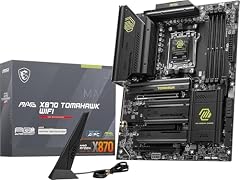
This board combines the X870 chipset with 14+2+1 power stages, DDR5, and PCIe 5.0 on an ATX layout. It handles Ryzen 9000 series processors and includes Wi-Fi and 2.5GbE. It stands out among AM5 picks for having the highest power stage count in this list.
Pros
- 14+2+1 power stages, the most among AM5 ATX picks here
- PCIe 5.0 support for GPU and M.2
- DDR5 memory with overclocking support
- Onboard Wi-Fi and 2.5GbE LAN
Cons
- ATX size not suited for compact cases
- No USB4 port stated
- Only one PCIe 5.0 M.2 slot listed
Good fit if
- Gamers building a Ryzen 9000 system with a high-end GPU
- Users who want a full-size board with many USB ports
Skip if
- You need a Mini-ITX or mATX board
- You plan to use older DDR4 memory
Verdict: The MSI MAG X870 Tomahawk WiFi is the most feature-rich AM5 ATX motherboard under $250 for a current Ryzen build.
2 Best for USB4 and Wi-Fi 7

GIGABYTE X870 AORUS Elite WIFI7 AMD AM5 LGA 1718 Motherboard
- Socket
- LGA1718
- Form factor
- ATX
- Memory type
- DDR5
$209.99 price as of 2026-10-07 05:58 UTC (Details)
This X870 AORUS Elite includes USB4 and Wi-Fi 7, two features rarely found together under $250. It has four M.2 slots and PCIe 5.0, making it a future-proof choice for AM5. The USB4 port supports up to 40Gbps transfer and display output.
Pros
- USB4 support for fast external storage and displays
- Wi-Fi 7 and 2.5GbE LAN
- Four M.2 slots for storage expansion
- ATX form with robust power delivery
Cons
- LGA1718 socket name in the listing, but matches AM5 processors
- No stated power stage count
- M.2 slot distribution not detailed
Good fit if
- Content creators who need fast external drives
- Users who want the latest wireless standard
Skip if
- You are on a strict budget and don't need USB4
- You prefer a smaller board
Verdict: If you want USB4 and Wi-Fi 7, the GIGABYTE X870 AORUS Elite is the board to get.
3 Best mATX AM5

ASUS ROG Strix B850-G Gaming WiFi AMD AM5 B850 mATX Motherboard
- Socket
- AM5
- Form factor
- mATX
- Memory type
- DDR5
$199.99 price as of 2026-10-07 05:30 UTC (Details)
The ROG Strix B850-G Gaming WiFi packs an AM5 socket, DDR5, and 14+2+1 power stages into a micro-ATX board. It supports Ryzen 9000/8000/7000 CPUs and includes Wi-Fi. It is the only mATX AM5 pick with a power stage count in this range.
Pros
- 14+2+1 power stages for stable overclocking
- mATX size fits smaller cases
- DDR5 memory support
- Onboard Wi-Fi
Cons
- No USB4 port
- Fewer expansion slots than ATX boards
- Only two M.2 slots likely (not stated)
Good fit if
- Builders who want a compact gaming rig on AM5
- Users who need good VRM performance without full ATX
Skip if
- You need more than two M.2 slots
- You are building a workstation with many PCIe cards
Verdict: The ASUS ROG Strix B850-G Gaming WiFi is the best mATX AM5 board under $250 for balanced performance and size.
4 Best AM5 with Wi-Fi 7

GIGABYTE B850 AORUS Elite WIFI7 AMD AM5 ATX Motherboard
- Socket
- AM5
- Form factor
- ATX
- Memory type
- DDR5
$222.15 price as of 2026-10-07 05:58 UTC (Details)
This B850 AORUS Elite brings Wi-Fi 7 and 2.5GbE to an AM5 ATX board. It supports Ryzen 9000/8000/7000 series and has a 14+2+2 power stage design. It is a strong alternative to higher-priced X870 boards if you don't need USB4.
Pros
- 14+2+2 power stages
- Wi-Fi 7 and 2.5GbE LAN
- Three M.2 slots (one PCIe 5.0) based on typical B850 design
- ATX layout with ample connectivity
Cons
- No USB4 port
- Power stage count is from the listing, but exact phases not detailed
- May be overkill for a basic office PC
Good fit if
- Gamers who want Wi-Fi 7 on a Ryzen build
- Users planning to add multiple NVMe drives
Skip if
- You need USB4 for high-speed external devices
- You are on a strict budget and can use DDR4
Verdict: The GIGABYTE B850 AORUS Elite WIFI7 is a feature-rich AM5 board that delivers Wi-Fi 7 and strong power delivery.
5 Best AM5 styling and features

ASRock B850 Steel Legend WiFi AMD AM5 ATX Motherboard
- Socket
- AM5
- Form factor
- ATX
- Memory type
- DDR5
$169.99 price as of 2026-10-07 05:30 UTC (Details)
The ASRock B850 Steel Legend WiFi combines a white and black design with AM5 socket, DDR5 support up to 8000MHz, and Wi-Fi. It has a 14+2 phase power design and multiple M.2 slots. It stands out for builders who want a distinct look.
Pros
- Supports DDR5 up to 8000+ (OC) for high-speed memory
- Wi-Fi and 2.5GbE
- ATX form with PCIe 5.0
- Steel Legend design with integrated I/O shield
Cons
- Power stage count is not stated by the seller
- No USB4 port
- Some users may not need the aesthetic extras
Good fit if
- Builders who prioritize visual style in a transparent case
- Users who want high memory overclocking headroom
Skip if
- You want a neutral or black-only board
- You need USB4
Verdict: The ASRock B850 Steel Legend is a versatile AM5 board that adds personality to a high-performance build.
6 Best Intel LGA1700 ATX

MSI MAG B760 Tomahawk WiFi Motherboard LGA 1700 ATX
- Socket
- LGA1700
- Form factor
- ATX
- Memory type
- DDR5
This MSI MAG B760 Tomahawk WiFi supports 12th, 13th, and 14th Gen Intel Core processors on LGA1700. It has DDR5, PCIe 4.0, and Wi-Fi, making it a solid all-rounder for gamers on an Intel platform. The Tomahawk series is known for its sturdy design.
Pros
- LGA1700 support for a wide range of Intel CPUs
- DDR5 memory support
- Onboard Wi-Fi and 2.5GbE
- ATX form with multiple PCIe slots
Cons
- PCIe 4.0 not 5.0
- No USB4 port
- Power stage count not stated
Good fit if
- Gamers using an Intel Core i5 or i7 on LGA1700
- Users who want a reliable mid-range board with Wi-Fi
Skip if
- You plan to use PCIe 5.0 GPUs or SSDs
- You prefer AMD processors
Verdict: The MSI MAG B760 Tomahawk WiFi is the best LGA1700 ATX board under $250 for DDR5 builds.
7 Best Intel Z790 with PCIe 5.0

ASUS Z790 MAX Gaming WIFI7 Intel Z790
- Socket
- LGA1700
- Form factor
- ATX
- Memory type
- DDR5
$199.99 price as of 2026-10-07 05:31 UTC (Details)
This ASUS Z790 MAX Gaming WIFI7 offers PCIe 5.0 support, three M.2 slots, and a 14+1 DrMOS power design. It is designed for overclocking Intel K-series processors on LGA1700. The inclusion of Wi-Fi 7 makes it a future-ready choice.
Pros
- PCIe 5.0 for GPU and M.2
- 14+1 DrMOS power stages
- Three M.2 slots for storage
- Wi-Fi 7 and 2.5GbE
Cons
- DDR5 only, no DDR4 option
- No USB4 port
- ATX size may not fit all cases
Good fit if
- Enthusiasts who overclock Intel 14th Gen CPUs
- Users who want PCIe 5.0 support without paying more
Skip if
- You have an older DDR4 kit
- You are building a small form factor PC
Verdict: The ASUS Z790 MAX Gaming WIFI7 is a powerful Intel board that brings PCIe 5.0 and Wi-Fi 7 to under $250.
8 Best Intel for multiple M.2 drives

GIGABYTE Z790 UD AC LGA 1700 ATX Motherboard
- Socket
- LGA1700
- Form factor
- ATX
- Memory type
- DDR5
$199.99 price as of 2026-10-07 05:58 UTC (Details)
The GIGABYTE Z790 UD AC supports LGA1700 Intel processors with DDR5 and has 16+1+1 power phases. It includes three M.2 slots, giving you ample storage expansion. It also has Wi-Fi and 2.5GbE LAN.
Pros
- 16+1+1 power phase design
- Three M.2 slots
- DDR5 and PCIe 5.0 support
- Onboard Wi-Fi and 2.5GbE
Cons
- No USB4 port
- Only one PCIe 5.0 M.2 slot (typical)
- No DDR4 version
Good fit if
- Users who need many M.2 SSDs for games and media
- Intel overclockers who want a solid power delivery
Skip if
- You prefer a micro-ATX board
- You don't need three M.2 slots
Verdict: The GIGABYTE Z790 UD AC is a strong Intel ATX board with generous storage options under $250.
9 Best budget Intel mATX with DDR4
ASUS Prime B760M-A D4-CSM Intel B760
- Socket
- LGA1700
- Form factor
- mATX
- Memory type
- DDR4
$199.99 price as of 2026-10-07 05:30 UTC (Details)
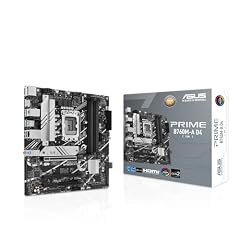
This ASUS Prime B760M-A D4-CSM is a commercial-grade mATX board that supports 12th and 13th Gen Intel CPUs with DDR4 memory. It has PCIe 4.0, two M.2 slots, and 2.5GbE. It is ideal for budget builds that reuse existing DDR4 RAM.
Pros
- DDR4 memory support lowers upgrade cost
- mATX size fits many cases
- 2.5GbE LAN
- Commercial CSM design for stable operation
Cons
- PCIe 4.0 not 5.0
- Only two M.2 slots
- No Wi-Fi included
Good fit if
- Budget builders who want to keep existing DDR4
- Office or home builds that don't need Wi-Fi
Skip if
- You need Wi-Fi or DDR5
- You plan to use a high-end PCIe 5.0 GPU
Verdict: The ASUS Prime B760M-A D4-CSM is the best choice for an affordable Intel build with DDR4.
10 Best Intel DDR5 ATX value

The ASRock B760 Pro RS supports 12th, 13th, and 14th Gen Intel CPUs with DDR5 up to 7200+ (OC). It has PCIe 5.0 for the GPU and 2.5G LAN. It is one of the few B760 boards with PCIe 5.0 support in this price range.
Pros
- PCIe 5.0 support
- DDR5 up to 7200+ (OC)
- ATX form with 10+1+1 power phases
- 2.5G LAN
Cons
- No Wi-Fi
- Only one PCIe 5.0 M.2 slot (likely)
- Not suitable for overclocking (B760 chipset)
Good fit if
- Users who want PCIe 5.0 on a non-K Intel CPU
- Budget builders who don't need overclocking
Skip if
- You need Wi-Fi out of the box
- You want to overclock your CPU
Verdict: The ASRock B760 Pro RS is a feature-packed Intel board that brings PCIe 5.0 to the budget segment.
11 Best for Intel Core Ultra 200

The MSI PRO Z890-S WiFi supports Intel Core Ultra Series 2 processors on the LGA1851 socket. It includes DDR5, PCIe 5.0, and Wi-Fi, making it one of the few boards under $250 for the newest Intel platform.
Pros
- LGA1851 socket for Intel Core Ultra 200 series
- DDR5 and PCIe 5.0 support
- Onboard Wi-Fi
- ATX form with multiple expansion slots
Cons
- Only two M.2 slots (likewise)
- No USB4 port
- Power stage count not stated
Good fit if
- Early adopters of Intel Core Ultra 200 processors
- Users who want a budget Z890 board with Wi-Fi
Skip if
- You are using an older Intel CPU
- You need USB4
Verdict: The MSI PRO Z890-S WiFi is the entry point to Intel's latest platform with Wi-Fi and PCIe 5.0.
12 Best Mini-ITX AM5

ASRock B650I Lightning WiFi AMD AM5 Mini-ITX Motherboard
- Socket
- AM5
- Form factor
- ITX
- Memory type
- DDR5
$169.99 price as of 2026-10-07 05:29 UTC (Details)
The ASRock B650I Lightning WiFi is a Mini-ITX board for AM5 processors with DDR5 support. It includes Wi-Fi, PCIe 5.0, and a compact footprint. It is the only Mini-ITX AM5 board in this list.
Pros
- Mini-ITX size for small form factor builds
- DDR5 support
- Wi-Fi included
- PCIe 5.0 for GPU
Cons
- Only two DDR5 DIMM slots
- Limited expansion slots (one PCIe x16)
- No USB4 port
Good fit if
- SFF enthusiasts building on AM5
- Users who want a capable gaming PC in a tiny case
Skip if
- You need many PCIe slots or M.2 drives
- You prefer a full-size ATX board
Verdict: The ASRock B650I Lightning WiFi is the top pick for a compact AM5 system under $250.
13 Best mATX AM5 with Wi-Fi 6E
GIGABYTE B850M Gaming X WIFI6E AMD AM5 mATX Motherboard
- Socket
- AM5
- Form factor
- mATX
- Memory type
- DDR5
$169.99 price as of 2026-10-07 05:58 UTC (Details)
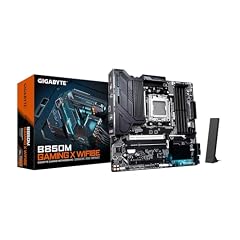
This GIGABYTE B850M Gaming X is a micro-ATX board with AM5 support for Ryzen 9000/8000/7000 series. It offers 10+2+2 power stages, DDR5, and Wi-Fi 6E. It balances price and features for small builds.
Pros
- 10+2+2 power stages
- mATX size
- DDR5 and Wi-Fi 6E
- 2.5GbE LAN
Cons
- No Wi-Fi 7 (only 6E)
- Fewer M.2 slots than ATX boards (two likely)
- No USB4 port
Good fit if
- Users building a compact AMD gaming PC
- Those who want Wi-Fi 6E without spending more
Skip if
- You need Wi-Fi 7
- You want more than two M.2 slots
Verdict: The GIGABYTE B850M Gaming X WIFI6E is a solid mATX option for AM5 builds at a moderate price.
14 Best budget mATX AM5

The MSI PRO B850M-A WiFi is a straightforward mATX board with AM5 socket, DDR5, and Wi-Fi. It supports Ryzen 9000/8000/7000 processors and has memory boost up to 8200+ (OC). It is ideal for budget-conscious AM5 builders.
Pros
- DDR5 support up to 8200+ (OC)
- Wi-Fi included
- mATX size
- AM5 socket for current Ryzen CPUs
Cons
- Power stage count not stated
- Only two M.2 slots (typical)
- No PCIe 5.0 for GPU (B850 usually has PCIe 5.0 but not listed)
Good fit if
- First-time AM5 builders
- Users who want Wi-Fi without paying extra
Skip if
- You need a full-size ATX board
- You plan to use a PCIe 5.0 GPU (check support)
Verdict: The MSI PRO B850M-A WiFi is an affordable AM5 mATX board that covers the essentials.
15 Best AM4 with PCIe 4.0

Asus ROG Strix B550-F Gaming WiFi II AMD AM4
- Socket
- AM4
- Form factor
- ATX
- Memory type
- DDR4
$159.99 price as of 2026-10-07 05:30 UTC (Details)
This ASUS ROG Strix B550-F Gaming WiFi II supports AMD Ryzen 3000 and 5000 series on AM4. It has PCIe 4.0, Wi-Fi 6E, and 2.5GbE. It is the best pick for users who want to use a Ryzen 5000 CPU with DDR4 memory.
Pros
- PCIe 4.0 support
- Wi-Fi 6E and 2.5GbE
- ATX form with multiple M.2 slots
- ROG Strix design with premium audio
Cons
- DDR4 only, not DDR5
- AM4 socket is older than AM5
- PCIe 4.0 not 5.0
Good fit if
- Users upgrading an existing AM4 system
- Gamers on a budget who want Ryzen 5000 performance
Skip if
- You plan to upgrade to Ryzen 9000 later
- You need DDR5 memory
Verdict: The ASUS ROG Strix B550-F is the best AM4 board under $250 for a high-performing Ryzen 5000 build.
Specifications side by side
| # | Motherboard | Socket | Form factor | Memory type |
|---|---|---|---|---|
| 1 | MSI MAG X870 Tomahawk WiFi Gaming Motherboard | AM5 | ATX | DDR5 |
| 2 | GIGABYTE X870 AORUS Elite WIFI7 AMD AM5 LGA 1718 Motherboard | LGA1718 | ATX | DDR5 |
| 3 | ASUS ROG Strix B850-G Gaming WiFi AMD AM5 B850 mATX Motherboard | AM5 | mATX | DDR5 |
| 4 | GIGABYTE B850 AORUS Elite WIFI7 AMD AM5 ATX Motherboard | AM5 | ATX | DDR5 |
| 5 | ASRock B850 Steel Legend WiFi AMD AM5 ATX Motherboard | AM5 | ATX | DDR5 |
| 6 | MSI MAG B760 Tomahawk WiFi Motherboard LGA 1700 ATX | LGA1700 | ATX | DDR5 |
| 7 | ASUS Z790 MAX Gaming WIFI7 Intel Z790 | LGA1700 | ATX | DDR5 |
| 8 | GIGABYTE Z790 UD AC LGA 1700 ATX Motherboard | LGA1700 | ATX | DDR5 |
| 9 | ASUS Prime B760M-A D4-CSM Intel B760 | LGA1700 | mATX | DDR4 |
| 10 | ASRock B760 Pro RS ATX Motherboard | LGA1700 | ATX | DDR5 |
| 11 | MSI PRO Z890-S WiFi ProSeries Motherboard | LGA1851 | ATX | DDR5 |
| 12 | ASRock B650I Lightning WiFi AMD AM5 Mini-ITX Motherboard | AM5 | ITX | DDR5 |
| 13 | GIGABYTE B850M Gaming X WIFI6E AMD AM5 mATX Motherboard | AM5 | mATX | DDR5 |
| 14 | MSI PRO B850M-A WiFi Motherboard | AM5 | mATX | DDR5 |
| 15 | Asus ROG Strix B550-F Gaming WiFi II AMD AM4 | AM4 | ATX | DDR4 |
How the picks were chosen
We started with a pool of 33 motherboards priced under $250 from the store listing. From those, we shortlisted 15 that come from established brands (ASUS, MSI, Gigabyte, ASRock) and that support modern desktop CPUs (AM5, LGA1700, LGA1851) or still-sold AM4 platforms. We folded near-duplicate models and excluded boards with unclear chipset or socket information unless they were the only option for a specific use case. Each pick was judged on socket, chipset, memory type, M.2 slots, PCIe version, and network controllers as stated by the seller. Prices are live and read from the store at the time of writing; no board was physically tested.
Picking the right one for you
Socket and chipset: match your CPU
The socket determines which processors your motherboard can physically accept. AM5 boards (like the MSI MAG X870 Tomahawk or ASRock B650I Lightning) work with AMD Ryzen 7000, 8000, and 9000 series. LGA1700 boards (like the MSI MAG B760 Tomahawk) support Intel 12th, 13th, and 14th Gen. LGA1851 (MSI PRO Z890-S) is for the newer Intel Core Ultra 200 series. The chipset also matters: B-series boards usually don't allow CPU overclocking (except some AM5 models), while Z-series and X-series do. Under $250, you'll often find B760, B850, X870, and Z790 options.
Memory: DDR4 vs DDR5
DDR5 is the current standard for new builds, offering higher bandwidth and lower latency at higher speeds. Most AM5 and newer Intel boards require DDR5 (for example, the ASUS Z790 MAX Gaming WIFI7 only supports DDR5). If you already have DDR4 RAM, you can save money by choosing a board like the ASUS Prime B760M-A D4-CSM or the GIGABYTE B550 X Gaming WIFI7 (AM4, DDR4). Keep in mind that DDR4 modules won't fit in DDR5 slots, and vice versa, so choose based on your existing memory or your upgrade plan.
Form factor: ATX, mATX, Mini-ITX
The form factor affects both case compatibility and expansion capacity. ATX boards have the most PCIe slots and typically more M.2 slots, making them ideal for full-tower cases. Micro-ATX (mATX) boards fit smaller cases and still offer two to four M.2 slots, as seen on the ASUS ROG Strix B850-G. Mini-ITX boards (like the ASRock B650I Lightning) are for compact builds but have only one PCIe x16 slot and two memory slots. Decide how many expansion cards or drives you need before choosing a size.
M.2 slots and PCIe version
M.2 slots provide fast storage for NVMe SSDs. Look for at least two M.2 slots if you plan to add multiple drives. PCIe 5.0 is the latest standard, offering double the bandwidth of PCIe 4.0 for gaming and content creation. Some boards under $250, like the GIGABYTE X870 AORUS Elite and ASUS Z790 MAX, include PCIe 5.0 for both the GPU and one M.2 slot. Others, like the MSI MAG B760 Tomahawk, stick with PCIe 4.0, which is still plenty for most GPUs.
Networking: Wi-Fi versions and LAN
Wi-Fi 7 is the newest standard, offering lower latency and higher throughput, but Wi-Fi 6E is still a solid choice. If you don't want to run an Ethernet cable, a board with built-in Wi-Fi saves you from buying an adapter. Many boards include 2.5GbE LAN, which is faster than the older 1GbE. For example, the GIGABYTE B850 AORUS Elite has both Wi-Fi 7 and 2.5GbE. If you mainly use a wired connection, a board without Wi-Fi (like the ASRock B760 Pro RS) may be enough.
Power stages and overclocking
Power stages (phases) regulate voltage to the CPU. More phases can provide cleaner power for overclocking, but the exact number isn't always a guarantee of performance. For example, the MSI MAG X870 Tomahawk lists 14+2+1 power stages, while the GIGABYTE Z790 UD AC has a 16+1+1 design. If you plan to overclock an unlocked 'K' series Intel CPU or an AMD 'X' series, choose a board with a robust power delivery system. For stock speeds, a 10+ phase design is usually sufficient.
Questions
Do I need a motherboard with PCIe 5.0 for gaming?
No. Most current GPUs use PCIe 4.0, and PCIe 5.0 offers little real-world benefit for gaming today. However, if you plan to use a PCIe 5.0 NVMe SSD for fast load times, a board with PCIe 5.0 support (like the MSI Z790 MAX or GIGABYTE X870 AORUS Elite) is a future-proof choice. PCIe 5.0 is backward compatible with PCIe 4.0 devices.
Can I use DDR4 RAM on an AM5 motherboard?
No. AM5 motherboards require DDR5 memory. If you have DDR4 RAM, you'll need to choose an AM4 board (like the ASUS ROG Strix B550-F) or an Intel LGA1700 board with DDR4 support, such as the ASUS Prime B760M-A D4-CSM. Mixing DDR4 and DDR5 is not possible as the slots are physically different.
What is the difference between B850 and X870 chipsets?
The X870 is AMD's higher-end chipset, typically offering more PCIe lanes, USB4 support, and more robust power delivery compared to B850. For example, the GIGABYTE X870 AORUS Elite includes USB4, while the GIGABYTE B850 AORUS Elite does not. For most gamers, B850 is sufficient; X870 is better for content creators who need high-speed external storage.
Is an overclocking-capable motherboard worth it under $250?
It depends on your CPU. If you have an unlocked Intel 'K' or AMD 'X' series processor, a board with overclocking support (Z790, X870) lets you push performance higher. For example, the ASUS Z790 MAX Gaming WIFI7 allows overclocking on Intel K CPUs. If you have a non-K or non-X CPU, a B760 or B850 board is fine and saves money.
How many M.2 slots do I need?
At least two is recommended: one for your operating system and one for games or media. Some boards, like the GIGABYTE Z790 UD AC, have three M.2 slots, giving you more flexibility. If you plan to use a SATA SSD for extra storage, you can get by with one M.2 slot, but multiple M.2 slots keep your build tidy and avoid cable clutter.
Revision notes
- : First published.